
Creating a shared online photo album makes it easy to bring together your memories with your loved ones or colleagues. But not all platforms are equal. Some compress images, others do not protect data enough. For family or professional use, the choice of service can make all the difference. So, how to properly publish shared photo albums online and what are the selection criteria for the site you will use? Discover our guide with tips and advice.

What is an online shared photo album?
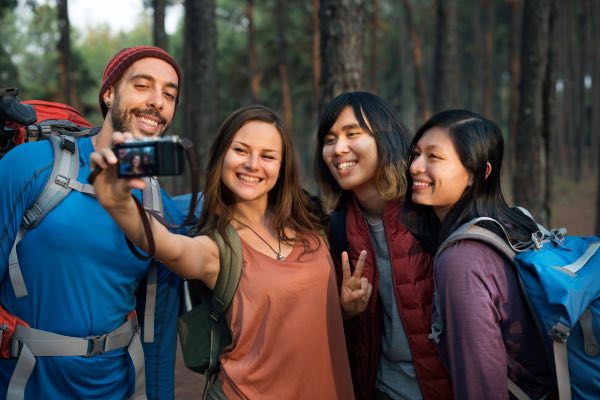
An online shared photo album is a virtual digital space (it can be temporary for a few months or for a longer lifetime of course) allowing multiple users to add, view, and exchange photos and videos from different internet-connected devices (computers, smartphones, tablets).
Unlike a classic album stored locally on a single device, the shared but secure photo album facilitates collaborative access to memories, thus promoting remote family or friendly sharing.
These albums can be private, accessible only to specific guests via a password or a secure link, or public, visible to anyone with the link. Authorized users can comment, react, download content according to defined permissions, thus allowing easy interaction around shared images.
A good shared online photo album service (such as partagephotos.com) guarantees confidentiality and full control over published content, offering features such as download prohibition or no indexing by search engines.
Creating a private space to share shared photo albums helps protect your privacy.
Particularly suitable for family events (birth, wedding, holidays) or professional ones (seminars, conferences), shared photo albums offer a secure alternative to social networks, facilitating simple and protected sharing of precious memories on the web.
Also read: Create a shared photo album with multiple people
Creating a password-secured space
Creating a password-secured space to share my photos is really different from social networks or messaging apps like WhatsApp.
On Facebook or Instagram, my photos may be accessible to a wide audience, even unintentionally. With WhatsApp, my content gets mixed in conversations and can be transferred and used without my consent…
As for American clouds like Google Drive, my personal data is subject to less protective legislation. Conversely, my private secured photo space offers me peace of mind, confidentiality, and total control: I choose exactly who accesses it thanks to the password, without intrusive ads or external surveillance.
Why create a private sharing space?

Creating a private sharing space is essential to protect my privacy and especially to preserve my children’s right to their image.
On classic social networks, my photos can easily end up in the wrong hands: image thefts, hijacking, or fraudulent uses are not uncommon.
Search engines, for their part, can index this content, making it visible to strangers without my consent.
By sharing carelessly, I expose my loved ones, especially children, to risks such as cyberbullying, identity theft, or even abusive use of their images for commercial purposes.
Not to mention that unreliable platforms can resell my data to advertisers or use it without my knowledge.
Choosing a truly secure private service guarantees that only my close ones access the photos and videos I share, thus preserving my family’s intimacy and my peace of mind against Internet dangers.
Who is a private photo sharing service for?
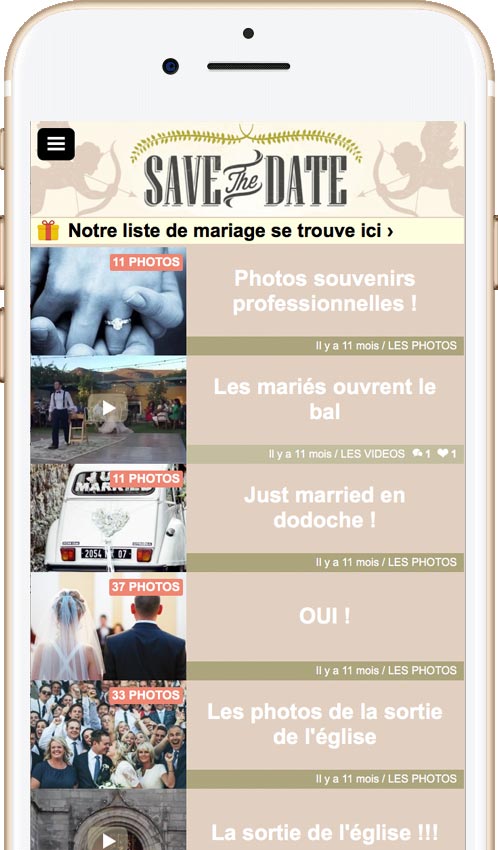
A private photo sharing service like partagephotos.com is primarily for individuals who, like me, want to protect their privacy and that of their loved ones.
But it also perfectly suits communities such as schools, nurseries, leisure centers, or retirement homes, that want to distribute photos safely to families while fully respecting image rights.
Businesses, associations, or professional event organizers can also use it to share confidential photos without fearing unauthorized distribution.
The main interest is to keep full control: I am sure my content will remain strictly private, without being indexed on Google or used elsewhere without my knowledge.
Thus, whether for my family, a collective structure, or an event, this type of secure platform provides total peace of mind while facilitating exchanges with my guests or collaborators.
How to share videos online?
To share videos online, many internet users use YouTube, social networks, cloud services like Google Drive, or messaging apps like WhatsApp.
It’s convenient (and not even that much…), fast, but not without risk.
On YouTube, even in private mode, the video can be shared by someone else. On social networks, privacy settings are often unclear, and once published, the video can circulate far beyond our initial intention.
American clouds, for their part, do not guarantee total confidentiality, and videos can be downloaded without my consent.
As for WhatsApp, quality is often reduced and files remain accessible in recipients’ galleries. To protect my privacy, it’s much better to opt for a private sharing service that genuinely secures data, blocks downloading, and allows precise control over who can view my videos, in a protected and controlled setting.
What to know about American services and social networks
Social networks and American storage services like Facebook, Instagram, Google Photos, or Dropbox are convenient but raise real privacy concerns.
By using these platforms, I often give up some of my rights over my content, which can be analyzed, exploited for advertising purposes, or shared without me realizing it.
These services are subject to American laws, much less protective than European legislation (such as GDPR). To create a shared photo album or safely publish a family video, it’s better to avoid these sites and choose a privacy-respecting alternative.
What are important criteria before uploading photos?
Here are 10 fundamental criteria to check before choosing an online photo sharing platform.
Each criterion is compared between two types of services: general public platforms (like Google Photos, Dropbox, or Facebook) and specialized platforms (like partagephotos.com or other tools aimed at families and professionals such as nurseries, nursing homes, or schools).
| Criteria | Social networks / Cloud | Private platform |
|---|---|---|
| Data confidentiality | ❌ (possible exploitation for commercial purposes) | ✔️ (respect for personal data, no resale) |
| Ease of use | ✔️ (known interfaces) | ✔️ (ergonomics suitable for all ages) |
| Secure access | ❌ (poorly customizable passwords) | ✔️ (restricted access by email, code or QR code) |
| Preserved photo quality | ❌ (automatic compression) | ✔️ (photos preserved in high definition) |
| Sharing with closed groups | ❌ (often public or poorly controlled sharing) | ✔️ (private groups only, no external link) |
| Responsive customer support | ❌ (automated support, little follow-up) | ✔️ (human assistance, direct contact) |
| Hosting in France or Europe | ❌ (data often hosted in USA) | ✔️ (local hosting, GDPR compliant) |
| Suitable for professionals | ❌ (no legal framework provided) | ✔️ (compliance with legal and contractual obligations) |
| No advertising | ❌ (ads displayed) | ✔️ (no ads, no tracking) |
| Duration of content retention | ❌ (automatic deletion possible) | ✔️ (durable storage, no forced deletion) |
Why create a shared photo album with collaborative access?
Creating a shared photo album with collaborative access allows multiple people to contribute to the same space without everything being centralized under a single account. It’s ideal for families after an event, childcare centers sharing moments with parents, or nursing homes sending updates to relatives. Everyone can add their photos, react, or leave comments. This creates a lively connection around shared memories. And most importantly, everything remains organized and private, unlike social networks or American cloud storage services.
Other searches on: “Shared online photo album”
- How to create a shared photo album with a password?
- Which photo sharing site to make a wedding shared photo album
- Make a shared photo album with guests from your wedding
- Creating a shared photo album for travel photos
- Why create a shared photo album with a password?
- Share private photo albums online?
- Shared photo album app with private access
- What is the best service to create a shared online photo album?
- How to create a slideshow with multiple photo albums?
- Create a secure cloud space to send personal photo albums
Further reading : why you should avoid social networks to share your family photos?