
There is no single photo sharing solution that is ideal for every situation. A family sharing photos with grandparents does not have the same requirements as a photographer delivering images to clients, a group of friends sharing an event, or someone who simply wants to send a few pictures with a link. This comparison looks at different photo sharing solutions from a privacy-first perspective and helps you understand which type of service may be the most appropriate depending on how you want to share your photos and videos.
What criteria for your photo sharing service?
Before comparing photo sharing solutions, start by defining what you actually need. Do you want to send a few photos once, maintain family albums for several years, publish videos for a private group, collaborate with several contributors, or simply keep your memories away from social networks?
Privacy is also an important consideration when personal or family photographs are involved. Rather than choosing a service only because it is popular or free, consider how access works, whether guests need accounts, whether files can be downloaded, where data is hosted and whether the platform was designed primarily for public publishing, cloud storage, messaging or genuinely private sharing.
The 15 criteria I use to test solutions
Public sharing or private sharing?
Protection of image rights and privacy?
Does the platform offer high definition?
Can photos be edited online?
Is the service mobile/tablet friendly?
Is it necessary to install an application?
Can guests download?
Can videos be published?
Are contents hosted in the USA?
What is the storage size?
Is it free or paid?
Can you keep control of your photos?
Is the site in French? In English?
Is the service easy for seniors?
Can you share on social networks?
Not every criterion will matter equally to every user. Someone looking to share photos via a link may prioritize simplicity and speed, while a family creating a long-term private archive may care more about restricted access, guest usability and privacy. If your priority is specifically family use, see our guide on how to share family photos privately.

Fammies.com
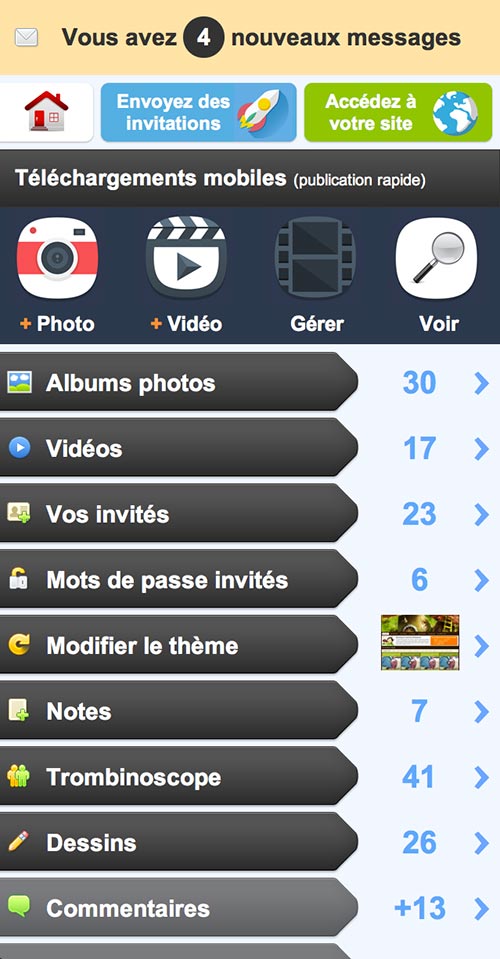
Fammies.com is designed around private photo and video sharing rather than public social networking. It can be used by families or groups who want to maintain a private online space for an event or over a longer period. Its positioning is therefore quite different from cloud storage services or social networks.
Public sharing or private sharing?
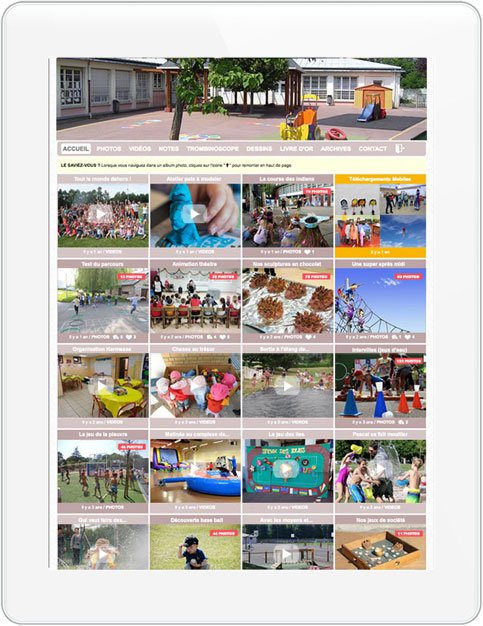
The service is built for private sharing. Access is reserved for invited contacts rather than an unrestricted public audience. This makes it more appropriate when the objective is to maintain a private collection instead of publishing photos on a social profile.
Protection of image rights and privacy?
The private-by-design approach reduces public exposure because photos and videos are intended for the administrator and invited contacts. This can be particularly relevant for family photographs, private events and other images that you would not normally publish openly.
Does the platform offer high definition?
Different levels of storage and image quality may be available depending on the plan used. When image resolution matters, check the current specifications before choosing a service, especially if the photographs are intended for professional use or later printing.
Can photos be edited online?
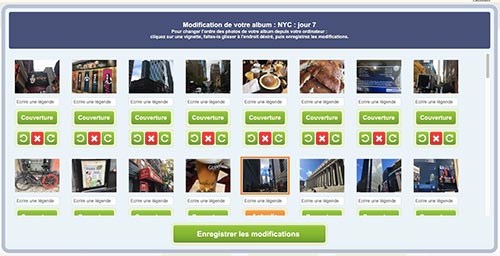
Basic management functions can help organize published photos after upload, such as changing their order, orientation or captions. A private sharing service should nevertheless be considered primarily as a publication and organization tool rather than a complete image-editing application.
Is the service mobile/tablet friendly?
A web-based private space has the advantage of being accessible from computers, smartphones and tablets without forcing every guest to use the same device ecosystem.
Is it necessary to install an application?
One advantage of a browser-based service is that guests can access content without necessarily installing another application. This can make private sharing easier for relatives who use older devices or simply do not want to install additional apps.
Can guests download?
Download permissions are an important criterion when comparing private photo sharing solutions. Some users want relatives to retrieve original files, while others prefer guests to view photographs without encouraging additional copies. A useful platform should therefore give the administrator control over these permissions.
Can videos be published?
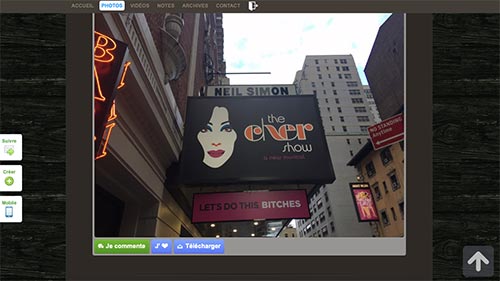
Video support is useful when a private space is intended to preserve more than photo albums. Family celebrations, holidays and private events often include short videos that users may want to keep alongside photographs rather than distribute through a separate service.
Are contents hosted in the USA?
Hosting location can be an important selection criterion for European users. When privacy and regulatory environment matter to you, check where the service stores content and which legal framework applies to your data.
What is the storage size?
Storage limits depend on the offer selected. Before subscribing to any platform, estimate how many photos and especially videos you intend to publish, because videos can use significantly more storage than ordinary web-sized images.
Is it free or paid?
Like many specialist services, Fammies offers different usage levels. Compare current pricing with the amount of storage, number of contributors and privacy controls you actually need rather than choosing purely on the basis of a free plan.
Can you keep control of your photos?
This is where a dedicated private platform differs most clearly from a public social network. The administrator decides who belongs to the private audience and how the space is managed rather than relying on followers, public profiles or social algorithms.
Is the site in French? In English?
A multilingual interface can be particularly useful for international families. The important point is that guests should be able to understand how to access and navigate the private space without technical assistance.
Is the service easy for seniors?
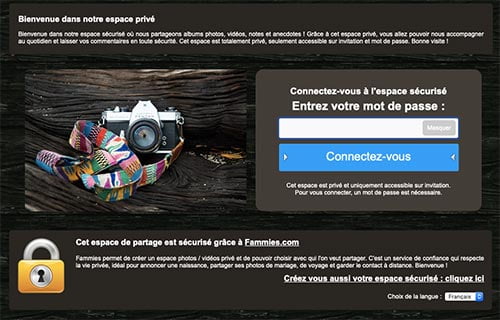
For family sharing, simplicity matters almost as much as privacy. Grandparents and less technical users should be able to reach the photos without navigating complicated social-media settings or creating unnecessary accounts.
Can you share on networks?
For users seeking genuine privacy, the absence of built-in social sharing can actually be an advantage. A private family or event space does not necessarily need buttons encouraging content to leave the intended audience.
My conclusion on Fammies.com
Fammies belongs to the category of specialist private sharing services rather than public networks or general-purpose clouds. Its strongest use case is therefore a group of known people who want an organized private photo and video space over time.

Facebook.com
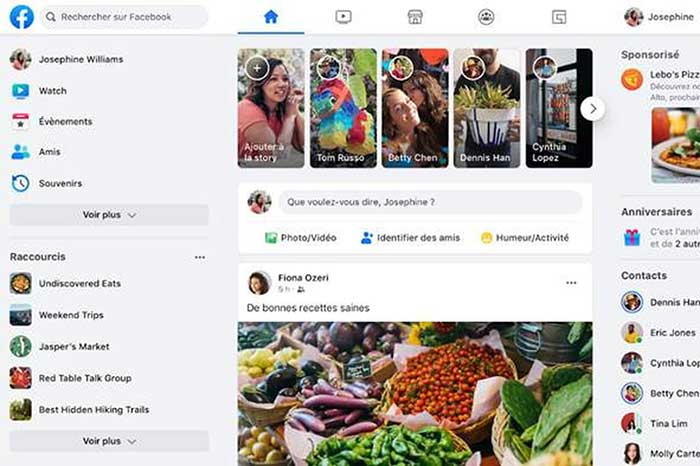
Facebook.com is primarily a social network. It can certainly be used to publish photo albums and videos, but its fundamental purpose is social interaction and content distribution rather than maintaining a dedicated private photo archive.
Public sharing or private sharing?
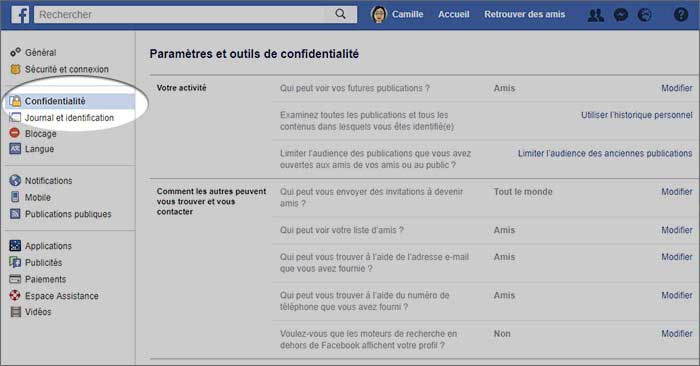
Facebook offers audience settings that can restrict who sees a publication. However, a restricted social-media post remains conceptually different from a dedicated private space: the content still exists inside a platform designed around profiles, feeds and interaction.
Protection of image rights and privacy?
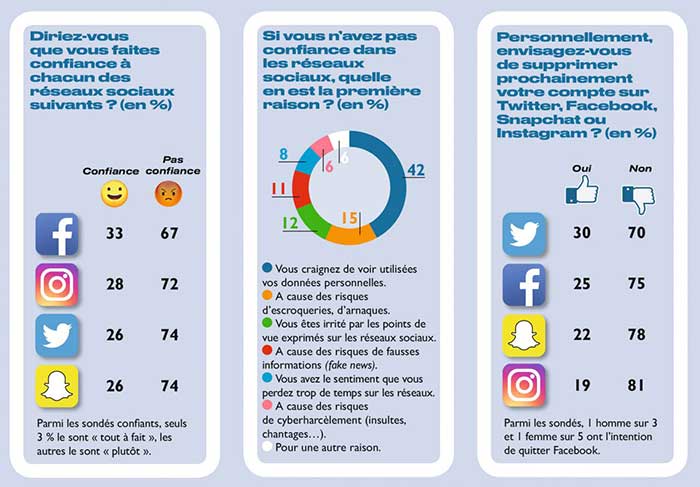
For personal or family photographs, users should carefully review privacy settings before publishing. A private audience can reduce visibility, but recipients may still interact with, copy or redistribute content depending on the platform’s available functions and their own actions.
Does the platform offer high definition?
Image and video quality can be sufficient for ordinary social publication, although social platforms commonly process uploaded media for display. Users who need original files or professional delivery should verify current upload specifications.
Can photos be edited online?
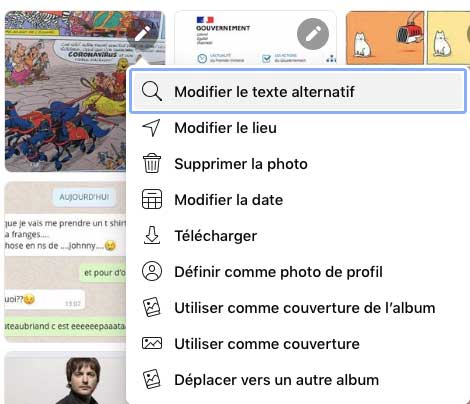
Facebook provides basic publishing tools such as captions, tags, dates and album organization, but it should not be considered a dedicated image-editing platform.
Is the service mobile/tablet friendly?
Facebook is designed for use across computers, smartphones and tablets. For users already familiar with the social network, access is straightforward, although privacy configuration can be more complex than simply entering a dedicated private photo space.
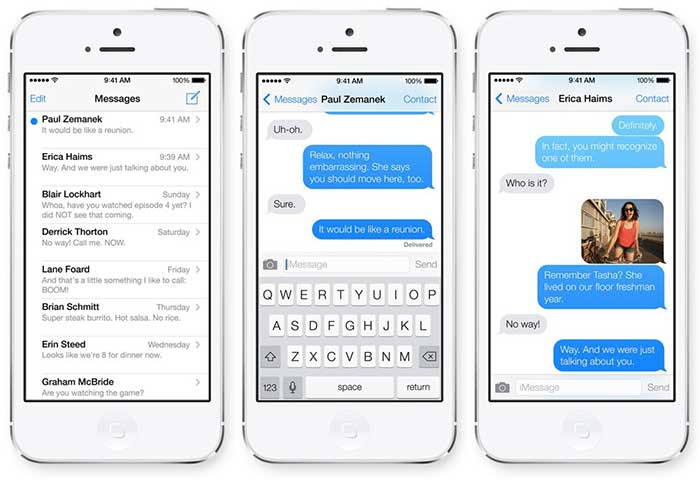
Is it necessary to install an application?
The service can be accessed through a web browser, although many users rely on the mobile application. Guests normally need their own Facebook identity to participate fully in the social environment.
Can guests download?
Once an image is visible to another person on a social platform, technical controls cannot eliminate every possibility of copying. This is an important difference from platforms where administrators can at least disable direct download functions.

Can videos be published?
Yes. Facebook supports video publication alongside photos, with visibility governed by the audience settings selected for the post or account.
Are contents hosted in the USA?
For European users comparing services according to data jurisdiction, the location and legal framework of large American platforms may be a relevant criterion. Check the platform’s current privacy documentation if this matters to your use case.
What is the storage size?
For ordinary social use, storage is not generally presented to users in the same way as a traditional cloud quota. The service is intended for publishing rather than managing a defined private storage allocation.
Is it free or paid?
Facebook can be used without a subscription for ordinary personal accounts. Its economic model is therefore very different from a specialist photo sharing service funded directly by users.
Can you keep control of your photos?
You retain control over your own account settings and can restrict audiences, but once other users can view content, complete control over screenshots, copies or redistribution is difficult. This is an important consideration for sensitive family or personal photographs.
Is the site in French? In English?
Facebook supports many languages and is therefore accessible to international groups and families.
Is the service easy for seniors?
The familiarity of Facebook can be an advantage for existing users, but privacy controls, feeds, notifications and social features can make the experience unnecessarily complex when the only goal is to look at private family albums.

Can you share on networks?
Social circulation is part of the platform’s nature. This can be useful when visibility is the objective, but it is less attractive when your priority is keeping photographs inside a defined private group.
My conclusion on Facebook.com
Facebook works well when the objective is social publication and interaction with an existing network of contacts. I would separate that use case from genuine private photo sharing. For family albums, children’s photos or content intended for a controlled audience, a purpose-built private solution offers a clearer model.
If your goal is to publish photos without turning them into social content, our guide on how to post photos privately online explores that distinction in more detail.

Instagram.com
Instagram.com is built primarily around visual publishing and social discovery. It is excellent for creators, brands and users who want to share images with followers, but this makes it fundamentally different from a private photo album service designed for a small circle of known people.
Public sharing or private sharing?
Accounts can restrict their audience, but content remains inside a social environment focused on profiles, followers and interaction. A private account is therefore not equivalent to a dedicated family or event photo space.

Protection of image rights and privacy?
Users should consider whether they are comfortable placing sensitive personal images inside a large social platform even when audience restrictions are enabled. Privacy requirements are usually very different for a public creator account and a private family archive.
Does the platform offer high definition?
Instagram optimizes images for display inside its interface. It is therefore suitable for online viewing but not intended as an original-file archive or professional delivery system.
Can photos be edited online?
The service offers visual filters and publishing tools, but it remains primarily a social publishing application rather than a complete photo management system.
Is the service mobile/tablet friendly?
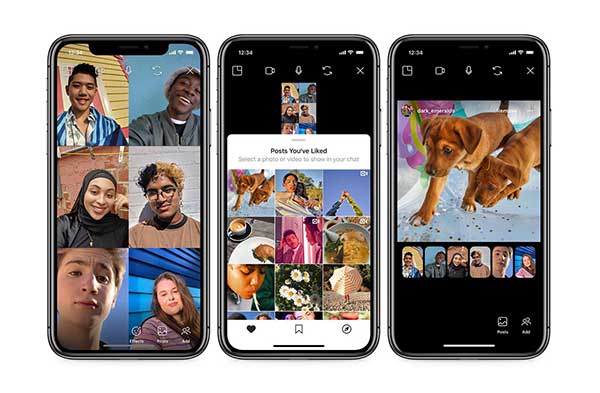
Instagram is strongly optimized for mobile use. This is ideal for spontaneous publication but can be less convenient for relatives who simply want easy browser access to a private album.
Is it necessary to install an application?
The service can be accessed in different ways, but the mobile application remains central to the Instagram experience. This creates additional friction if some members of your private audience do not use Instagram.
Can guests download?
As with most social platforms, once another user can view an image it is difficult to guarantee that no copy will ever be made. Screenshots and third-party methods can bypass ordinary interface limitations.
Can videos be published?
Yes. Video is a major part of Instagram, alongside photos and other visual formats.

Are contents hosted in the USA?
European users who care about data jurisdiction should review the current terms governing storage and processing before choosing any large international platform for sensitive private photographs.
What is the storage size?
Instagram is designed for publishing content rather than providing users with a conventional storage quota for private archives.
Is it free or paid?
Personal use of the platform does not normally require a paid photo storage subscription.
Can you keep control of your photos?
You can control your account and audience settings, but social publication always involves a different level of exposure from a dedicated private space. This distinction is especially important for personal or family photographs.
Is the site in French? In English?
Instagram is available internationally and supports multiple languages.
Is the service easy for seniors?
Users already familiar with smartphones may find it straightforward, but requiring relatives to maintain a social-media account simply to view family photographs is not always the easiest solution.
Can you share on networks?
Content circulation is closely linked to the social-media experience, which is useful for visibility but contrary to the objective of keeping photographs inside a small private audience.
My conclusion on Instagram.com
Instagram is a visual social network, not a private family photo archive. It is appropriate when you want people to discover and interact with your images, but less suitable when the objective is controlled long-term sharing among relatives or a defined group.

Whatsapp.com
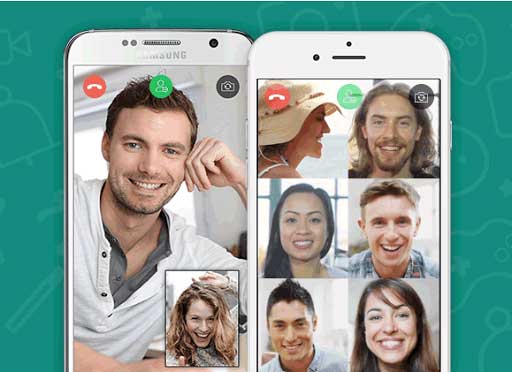
WhatsApp.com belongs to another category entirely: instant messaging. It is extremely convenient for sending a few photos directly to individuals or groups, but a conversation thread is not the same thing as an organized private photo library.
Public sharing or private sharing?
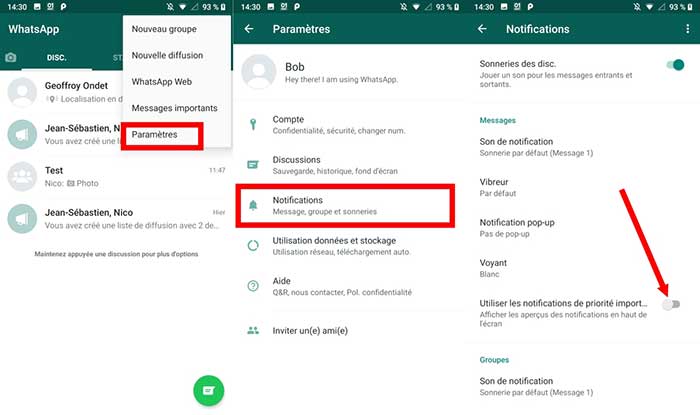
Messages are sent to selected contacts rather than published openly, which provides a degree of audience control. However, recipients can generally save or forward what they receive, so private delivery does not automatically mean long-term control.
Protection of image rights and privacy?
For temporary exchanges between trusted contacts, messaging may be sufficient. For sensitive photographs or an ongoing private family archive, it is important to consider what recipients can do with the files after delivery.

Messaging settings can affect what is automatically stored on individual devices, but these settings do not transform a messaging application into a controlled private gallery. Once a recipient has obtained an image, they may be able to retain a copy independently.
Does the platform offer high definition?
Messaging applications may compress media depending on how files are sent. If maintaining original quality is essential, check the current file-transfer options rather than assuming that an image sent as a normal message preserves its original resolution.
Can photos be edited online?
Basic annotations and editing functions may be available before sending, but they are designed for messaging convenience rather than long-term photo organization.
Is the service mobile/tablet friendly?
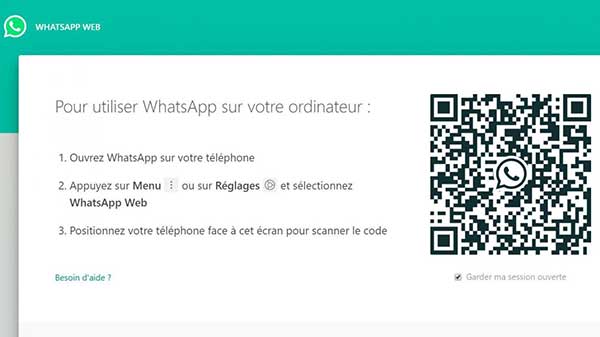
WhatsApp is particularly convenient on smartphones and also provides computer access, making it very practical for everyday communication.
Is it necessary to install an application?
For ordinary use, participants generally need WhatsApp set up on their device. This is a significant difference from browser-based private photo spaces where invited guests may not need to install anything.
Can guests download?
Recipients can generally retain copies of photos and videos they receive. This makes WhatsApp highly convenient for sending files but less appropriate if preventing redistribution is an important requirement.
Can videos be published?
Videos can be sent through WhatsApp, subject to the formats and limits supported by the current version of the service.
Are contents hosted in the USA?
Users concerned about hosting jurisdiction and data processing should consult the current WhatsApp privacy documentation when comparing it with European specialist services.
What is the storage size?
WhatsApp should not be evaluated like a conventional photo cloud with a simple personal storage quota. Its core purpose is communication rather than maintaining an organized permanent photo archive.
Is it free or paid?
Ordinary personal use does not require a photo storage subscription.
Can you keep control of your photos?
You control who receives the original message, but once files have reached another device, your control becomes much more limited. This distinction is fundamental when comparing messaging with dedicated private sharing.
Is the site in French? In English?
The service supports many languages and is widely used internationally.

Is the service easy for seniors?
Many seniors already use WhatsApp for messages and calls. That familiarity can make sending individual photos easy, but following years of family photographs inside message threads is much less practical.
Can you share on networks?
Recipients who have saved an image can potentially use it elsewhere. Messaging is therefore very different from maintaining a controlled gallery intended only for viewing.
My conclusion on Whatsapp.com
WhatsApp is excellent for conversation and occasional direct delivery of photos. I would not use it as a replacement for an organized private family archive or a long-term photo sharing platform. Those are two different needs.

iCloud.com
iCloud.com is primarily a cloud storage and synchronization ecosystem for Apple users. It can also be used to share photos, but its central purpose remains storing and synchronizing personal files across devices.
Public sharing or private sharing?
Shared albums and other invitation-based functions can provide restricted access. The experience remains that of a cloud ecosystem rather than a dedicated independent private photo publication space.
Protection of image rights and privacy?
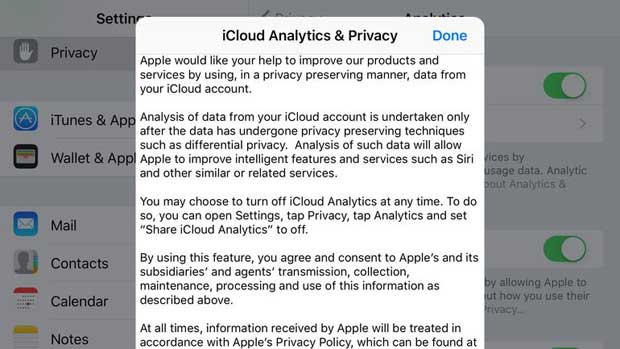
Cloud security depends on account security, sharing configuration and the way recipients handle shared content. Users should distinguish between protecting access to their own Apple account and controlling what happens after photographs are shared with another person.
Does the platform offer high definition?
A storage service can preserve high-quality files, making it useful when original resolution and device synchronization matter.
Can photos be edited online?
The Apple ecosystem provides photo-management and editing functions across supported devices, although iCloud itself should primarily be considered a storage and synchronization service.
Is the service mobile/tablet friendly?
It integrates particularly well with Apple devices and can therefore be very convenient for users already invested in that ecosystem.
Is it necessary to install an application?
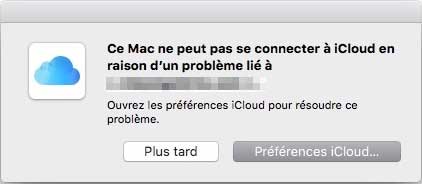
Apple devices integrate iCloud deeply into the operating system. This is convenient for Apple users but less neutral than a browser-based platform intended to work the same way regardless of device brand.
Can guests download?
When files are deliberately shared with other people, recipients may be able to save their own copies depending on the sharing method used.
Can videos be published?
Videos can be stored and synchronized as part of the wider file and photo ecosystem.
Are contents hosted in the USA?
If hosting jurisdiction is one of your selection criteria, consult Apple’s current documentation because data infrastructure and processing arrangements can evolve over time.
What is the storage size?
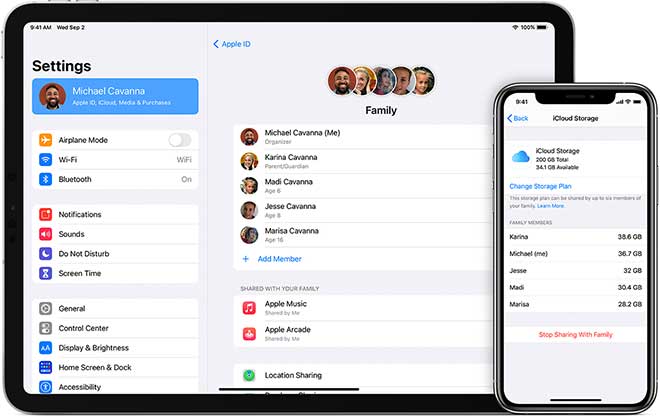
Storage is quota-based, with capacity depending on the user’s current iCloud plan. Users with large photo and video libraries should compare long-term storage cost rather than only the initial free allocation.
Is it free or paid?
The service combines an included storage allowance with paid capacity upgrades. Current prices should be checked directly with Apple before comparing costs.
Can you keep control of your photos?
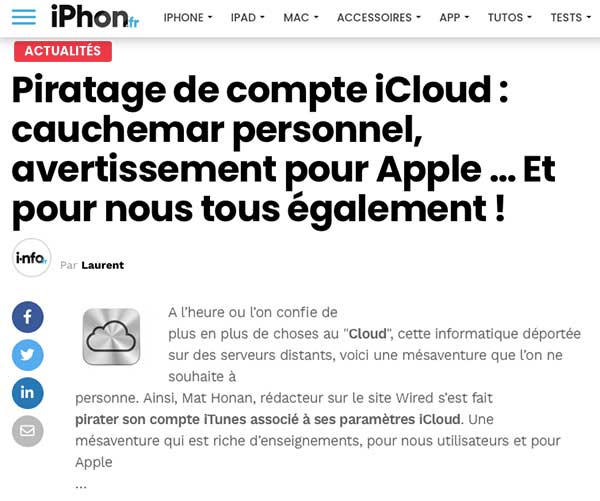
iCloud gives users extensive control over their own stored files and devices. The more difficult question is what happens once content is intentionally shared with someone else, because the recipient may then have their own copy.
Is the site in French? In English?
Apple services are available in many languages and regions.
Is the service easy for seniors?
For someone already using an iPhone or iPad, integration can make iCloud convenient. For relatives who do not use Apple products, a platform requiring less ecosystem knowledge may be easier.
Can you share on networks?
Files saved by a recipient can generally be reused elsewhere, as with most cloud storage services.
My conclusion on iCloud
iCloud is a strong choice for storage and synchronization within the Apple ecosystem. I would therefore compare it primarily with other cloud services rather than with purpose-built private photo spaces. If you are specifically experiencing issues with Apple’s service, see our guide to common iCloud problems.

Google Photos
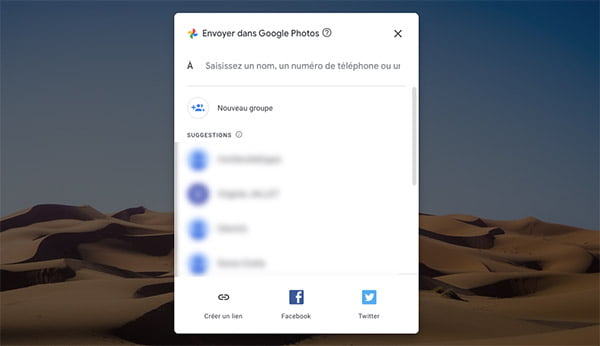
Google Photos combines cloud storage, automatic organization and photo sharing. It is extremely convenient for users already using a Google account, but it belongs primarily to the cloud ecosystem category rather than the specialist private-family-sharing category.
Its strength is integration: photos can be backed up, organized, searched and accessed across devices. Whether that is also the best model for your private family photographs depends on how much control and separation from a broader technology ecosystem you require.
Public sharing or private sharing?
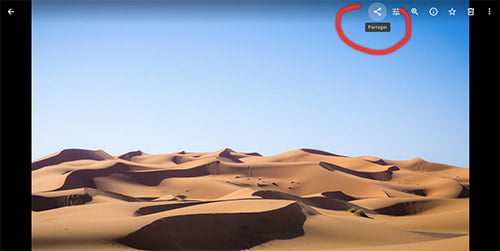
Google Photos supports restricted sharing methods, including links and shared albums. When using link-based sharing, remember that the practical security of the link depends on who receives it and whether it is forwarded.
This makes it useful for straightforward photo distribution, but different from a private space where each guest belongs to a defined audience. If link sharing is exactly what you need, compare the different approaches in our guide to sharing photos via a link.
Protection of image rights and privacy?
The important distinction is between cloud account security and control after sharing. A well-protected account can safeguard your library, but a person who legitimately receives access to a shared image may still be able to save or redistribute it.
Does the platform offer high definition?
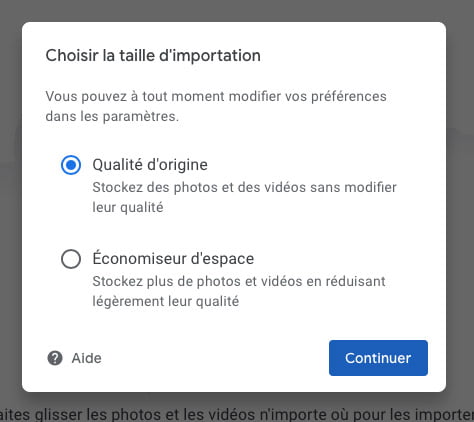
Google Photos supports high-quality photo and video storage, with available capacity and processing depending on the current account and storage configuration.
Can photos be edited online?
Editing and organization tools are one of Google Photos’ advantages. Users can perform common adjustments and benefit from the wider Google photo-management ecosystem.
Is the service mobile/tablet friendly?
The service works across common devices and is especially convenient for users whose photographs are already synchronized through Google.
Is it necessary to install an application?
Browser access is available, while mobile applications provide closer integration with automatic photo backup and device libraries.

Can guests download?
Recipients with access to shared photographs may be able to save copies. This is appropriate when you deliberately want to distribute files, but less useful when your goal is viewing without easy redistribution.
Can videos be published?
Yes. Videos can be stored alongside photographs subject to the limits and formats supported by the service.
Are contents hosted in the USA?
European users who specifically want European hosting should compare Google’s current infrastructure and privacy terms with specialist European providers.
What is the storage size?
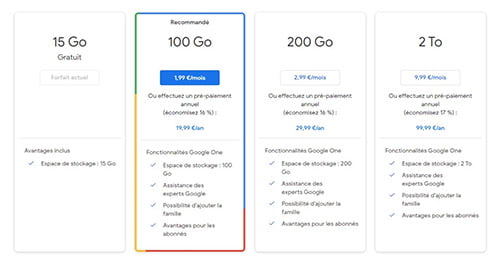
Storage capacity depends on the user’s Google account and any additional storage purchased. Because photos and videos can consume significant space over time, compare long-term requirements rather than only the starting allowance.
Is it free or paid?
Google combines included account storage with paid upgrades. Current prices and capacity should be checked directly before making a long-term comparison.
Can you keep control of your photos?
You control your Google library and sharing configuration, but sharing a photograph with another person necessarily gives that recipient some degree of access. The relevant question is therefore whether you want to transfer files or provide controlled viewing inside a private space.
Is the site in French? In English?
Google Photos is available internationally and supports many languages.
Is the service easy for seniors?
The interface can be straightforward for existing Google users, but account creation and ecosystem familiarity may still be obstacles for some relatives.
Can you share on networks?
Once a recipient has obtained a copy of a photograph, it may be reused on another platform. This is why cloud file sharing and private controlled viewing should be considered two different needs.
My conclusion on Google Photos
Google Photos is a capable cloud photo management solution with excellent integration and organization tools. Its strengths are not exactly the same as those of a specialist private sharing service, so the better choice depends on whether your priority is cloud management or controlled private publication.
For a more focused comparison with a privacy-first service, you can also read our Google Photos alternative guide.
Amazon Drive (review coming soon)
This section should only be completed if a current service relevant to this comparison is available and has been tested. Outdated services should not be presented as active recommendations.
Dropbox (review coming soon)
Dropbox belongs primarily to the cloud-storage and file-sharing category. A future review should therefore compare it on storage, access control, guest usability and file distribution rather than treating it as a social photo network.
Lightroom (review coming soon)
Lightroom is particularly relevant for photographers and image workflows. A future review should focus on professional presentation, editing, delivery and sharing rather than family photo storage.
FlickR (review coming soon)
Flickr belongs to the online photography and community category. A future review should distinguish its strengths for photographers and discovery from the requirements of strictly private family sharing.
Your private photo sharing space in 1 min: free registration
Tired of social networks?
Create a private photo and video space for the people you choose, without publishing your personal memories publicly.
✅ Try for freeAlternative searches for this article: « Photo sharing solutions »
- Best private photo sharing solutions
- Compare photo sharing platforms
- Private photo sharing solutions for families
- Which photo sharing service should I use?
- Photo sharing without social media
- Private photo sharing platform comparison
- How to share many photos privately?
- Best service for publishing personal photos privately
- Password-protected photo sharing solutions
- European private photo sharing platforms
- Photo sharing for family, friends and private events
